
Bulk Pricing Updater for BigCommerce
What it does
Bulk Pricing Updater sets the bulk pricing tiers on your products in BigCommerce: the "buy 10 or more and pay less" quantity breaks you set on a product itself. Upload a spreadsheet, match your columns, and the tool gives each product in your file exactly the tiers in your file.
Use it when:
- You want to add, change or remove quantity breaks on many products at once.
- Your pricing is already in a spreadsheet and you don't want to edit products one by one.
- You exported your bulk pricing with Export Product Bulk Pricing, edited it, and want to send it back.
Note
This tool changes bulk pricing set on the product. To change quantity breaks inside a BigCommerce price list, use the Price List Bulk Pricing Updater.
Before you start
- A CSV or Excel (.xlsx) file, or a link to a CSV file or Google Sheet. Older .xls files aren't supported.
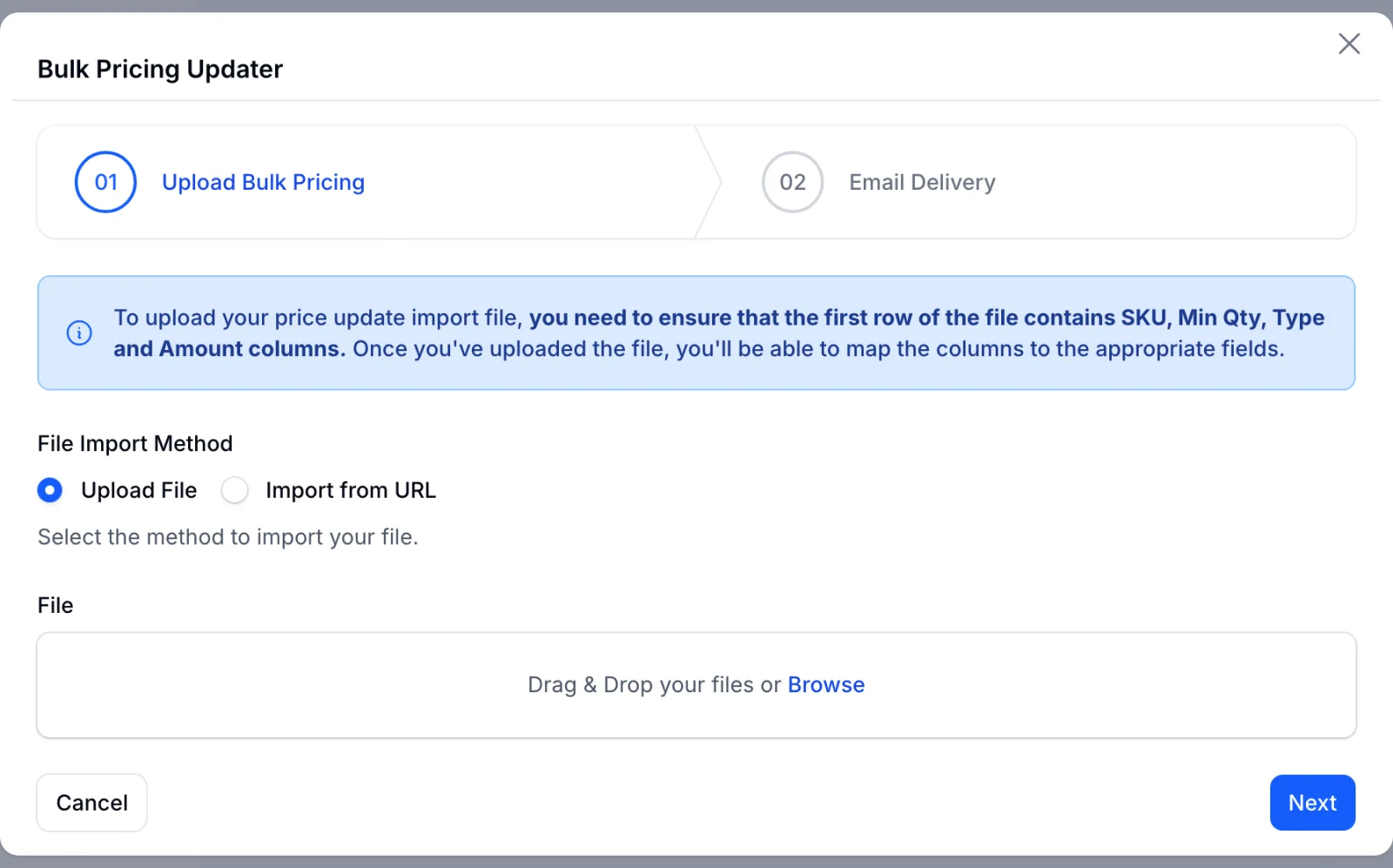
- The first row must be column names, including columns for SKU, Min Qty, Type and Amount.
- Each SKU must be a product SKU that already exists in BigCommerce. Rows whose SKU isn't found are reported as errors.
- Put all the tiers you want for a product in the file. Tiers a product has now that aren't in your file are removed.
Step-by-step
-
Open Bulk Pricing Updater. Choose the tool from your dashboard.
-
Upload Bulk Pricing. Choose Upload File or Import from URL and add your file.
-
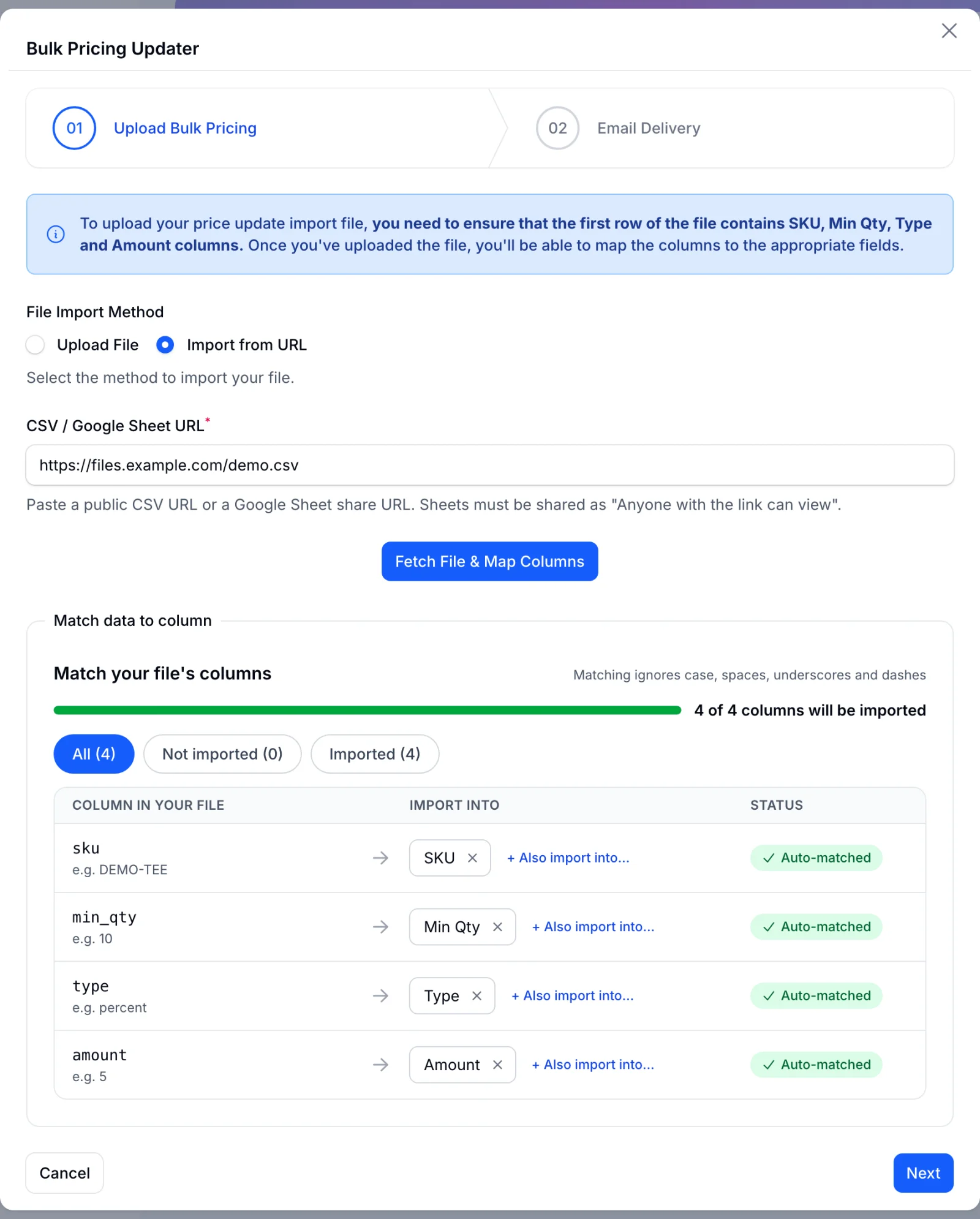
Match your file's columns. Match your columns to SKU, Min Qty, Type and Amount. Columns with those names are matched for you.
-
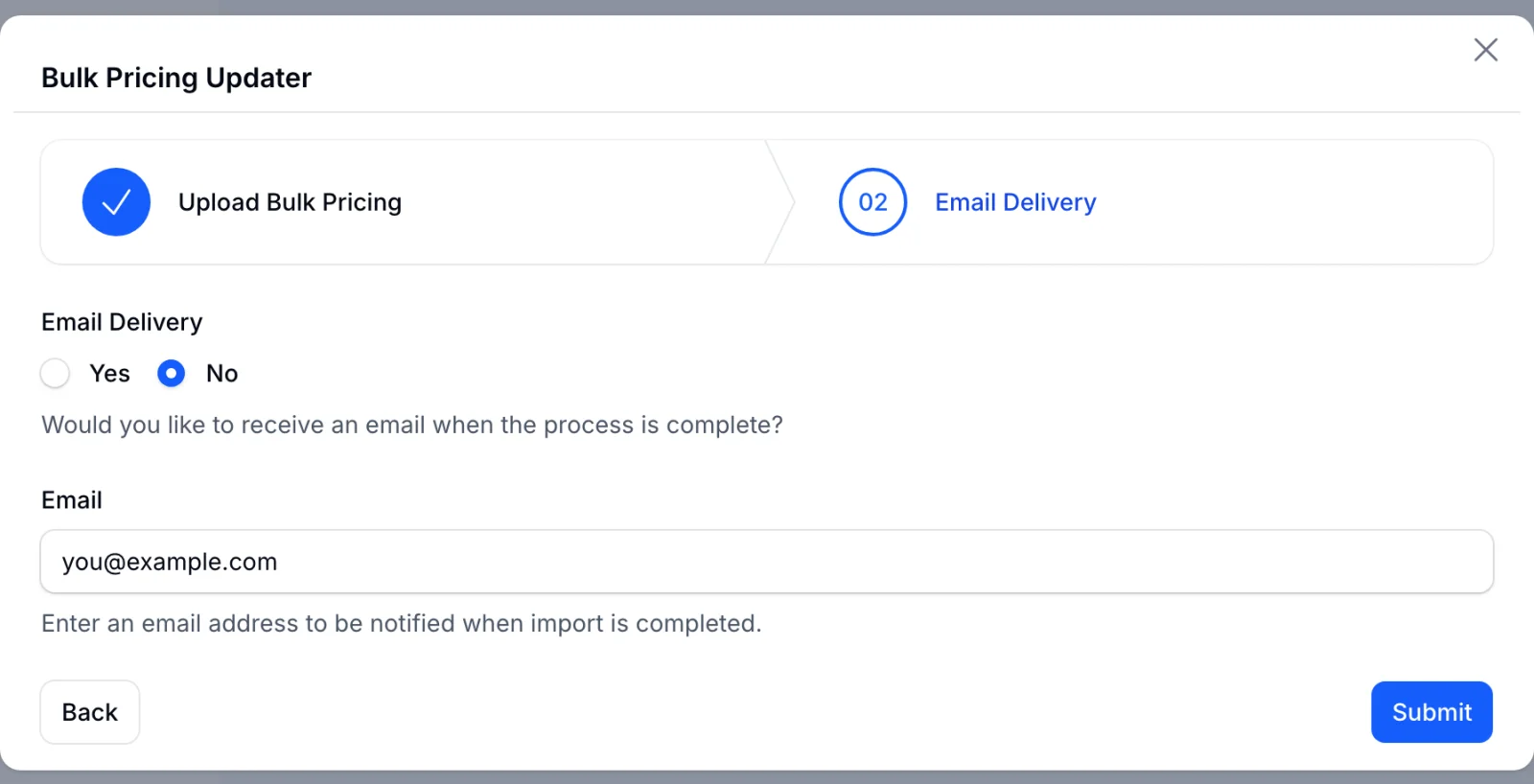
Email Delivery. Choose Yes to get an email when the update finishes; your account email is filled in.
-
Submit. You'll see "Import has been Queued". The update runs in the background, so you can close the page. Rows that couldn't be processed are listed under Download Errors on the notification (and in the email, if you chose one).
Reference
All four fields are required.
| Field | Notes |
|---|---|
| SKU | The product's SKU (not a variant SKU). Must already exist in BigCommerce. |
| Min Qty | A whole number: the quantity where this tier starts. Each tier's maximum is set for you from the next tier's Min Qty, so you don't enter one. |
| Type | price, percent or fixed, in lower case. BigCommerce defines them as: price, the adjustment amount per product; percent, the adjustment as a percentage of the original price; fixed, the adjusted absolute price of the product. |
| Amount | The tier's value. Currency symbols such as $ and £, commas and spaces are removed for you. Enter delete (lower case) to leave that tier out. |
How rows combine: all the rows for one SKU make up that product's complete set of tiers, ordered by Min Qty. The tool compares them with the product's current tiers in BigCommerce, removes tiers that aren't in your file, and adds or updates the rest. Products whose SKU isn't in your file aren't touched.
Troubleshooting and FAQ
"Sku … not found in BigCommerce. So it was not updated."
That SKU doesn't exist in your store as a product SKU, so the row was skipped. Check for typos, use the product's own SKU rather than a variant SKU, or create the product first.
"The selected type is invalid."
Type must be price, percent or fixed, in lower case.
Some of a product's tiers disappeared
The tiers in your file replace the product's current tiers. Include every tier you want to keep for each product in the file.
Nothing changed for some products
If a product's tiers already match your file exactly, there's nothing to update.
How do I remove a tier?
Leave it out of the file for that product, or put delete in its Amount column.
My file is too large
Your plan may limit how many rows you can import at once. If your file is over the limit, you'll see a message with your plan's maximum. Split the file, or upgrade your plan.
I didn't get an email
Make sure Email Delivery was set to Yes, check your spam folder and the address you entered. The result is also on the notification in the tool.
I got a permission error
Your store connection may be missing a permission the tool needs. Contact us from Contact Us in your dashboard and we'll help you fix it.