
Snapshots and Restoring for BigCommerce
What it does
A snapshot is a point-in-time backup of your products' custom fields. The app takes one automatically before every risky operation: CSV imports, scheduled updates, deleting and adding fields, field merges and renames, Find & Replace and cleanups. You can take one yourself any time, and restore any snapshot to put the values back.
Before you start
-
Your plan sets how many snapshots you can keep and how far back your history goes:
Basic Premium Manual snapshots 3 50 History shown 7 days 30 days -
Automatic snapshots don't use up your manual ones. They're kept separately, up to the same number, and the oldest are removed as new ones are taken.
-
Older snapshots drop off the list once they're outside your history window (the page notes your window under the title). All snapshots are permanently deleted after 90 days.
-
Open Tools → Snapshots from the sidebar.
Step-by-step
Take a snapshot
- Create Snapshot. Click Create Snapshot.
- Label it. Optionally give it a label, such as "Before spring cleanup". The full catalog is backed up in the background.
You can also back up just the products you've selected in the Product Fields Editor with Take snapshot first.
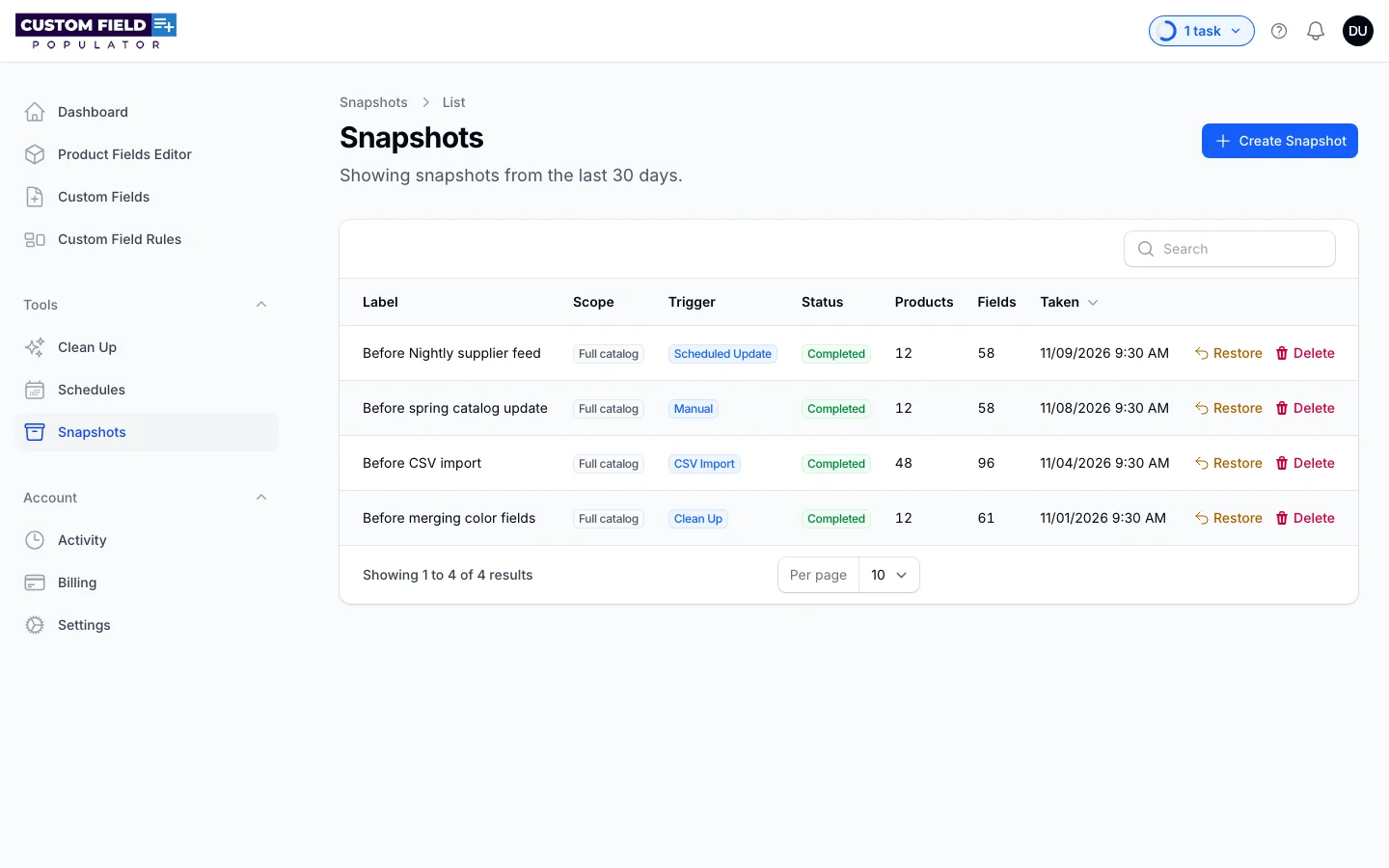
Restore a snapshot
-
Restore. Click Restore on the snapshot.
-
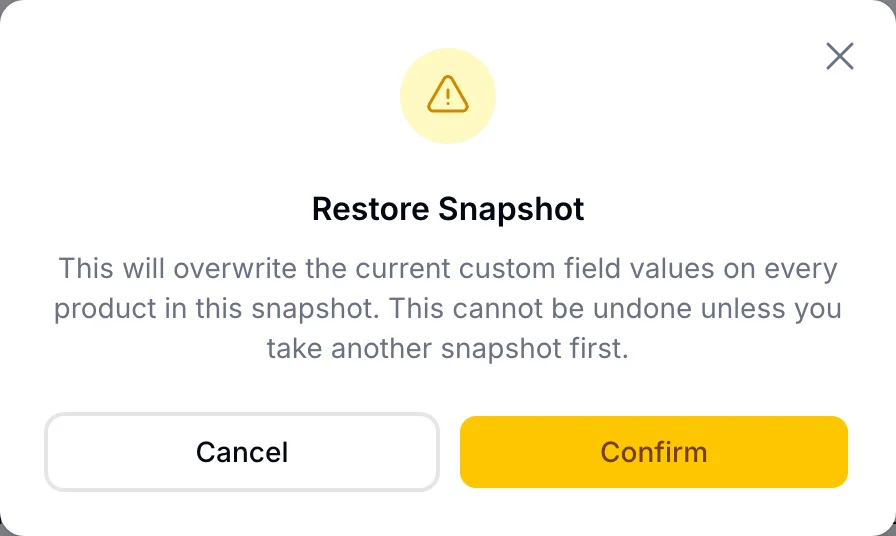
Read the confirmation. It tells you exactly what will happen:
- A full catalog snapshot overwrites the current custom field values on every product in the snapshot.
- A partial snapshot only touches the products it contains; everything else is left alone.
- A field-scoped snapshot restores only those fields, including removing them from products that didn't have them when the snapshot was taken.
-
Confirm. Click Confirm. The restore runs in the background; watch it in the Tasks tray.
Warning
A restore can't be undone, unless you take another snapshot first.
Reference
The snapshot list
| Column | What it shows |
|---|---|
| Label | Made automatically (for example "Manual — Aug 4, 2026 3:07 PM") or the label you typed. |
| Scope | Full catalog, or Partial when it covers only some products or fields (hover to see which fields). |
| Trigger | What took it: Manual, Field Merge, Field Rename, Field Delete, Field Add, Scheduled Update, Find & Replace, Clean Up or CSV Import. |
| Status, Products, Fields, Taken | Its state, how many products and fields it holds, and when it was taken. |
You can also delete a snapshot you no longer need.