
Plans and Billing for BigCommerce
What it does
Account → Billing shows your plan, the card on file, your billing details and past charges. From there, Change Plan opens Compare Plans, where you upgrade or downgrade, and Cancel Subscription ends your subscription or trial.
Step-by-step
Your billing page
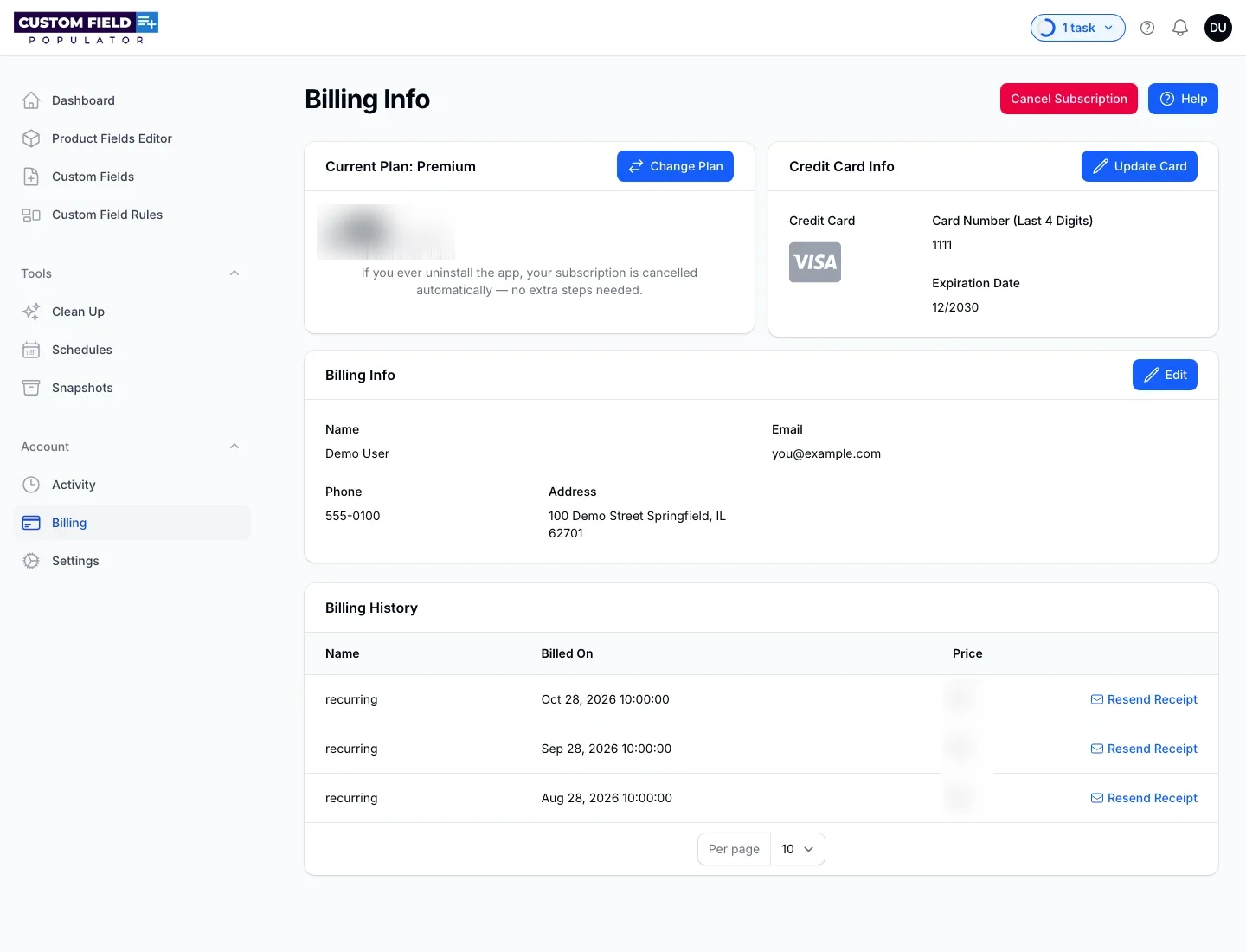
Open Account → Billing from the sidebar. The page is titled Billing Info.
- Current Plan: your plan and price, with a Change Plan button that opens Compare Plans. If a downgrade is pending, a banner shows when it takes effect, with a Cancel downgrade link.
- Credit Card Info: the card on file (last 4 digits and expiry). Update Card or Add Card opens a secure payment form.
- Billing Info: your billing name and address. Click Edit to change them.
- Billing History: past charges, each with a Resend Receipt action.
Compare plans, upgrade or downgrade
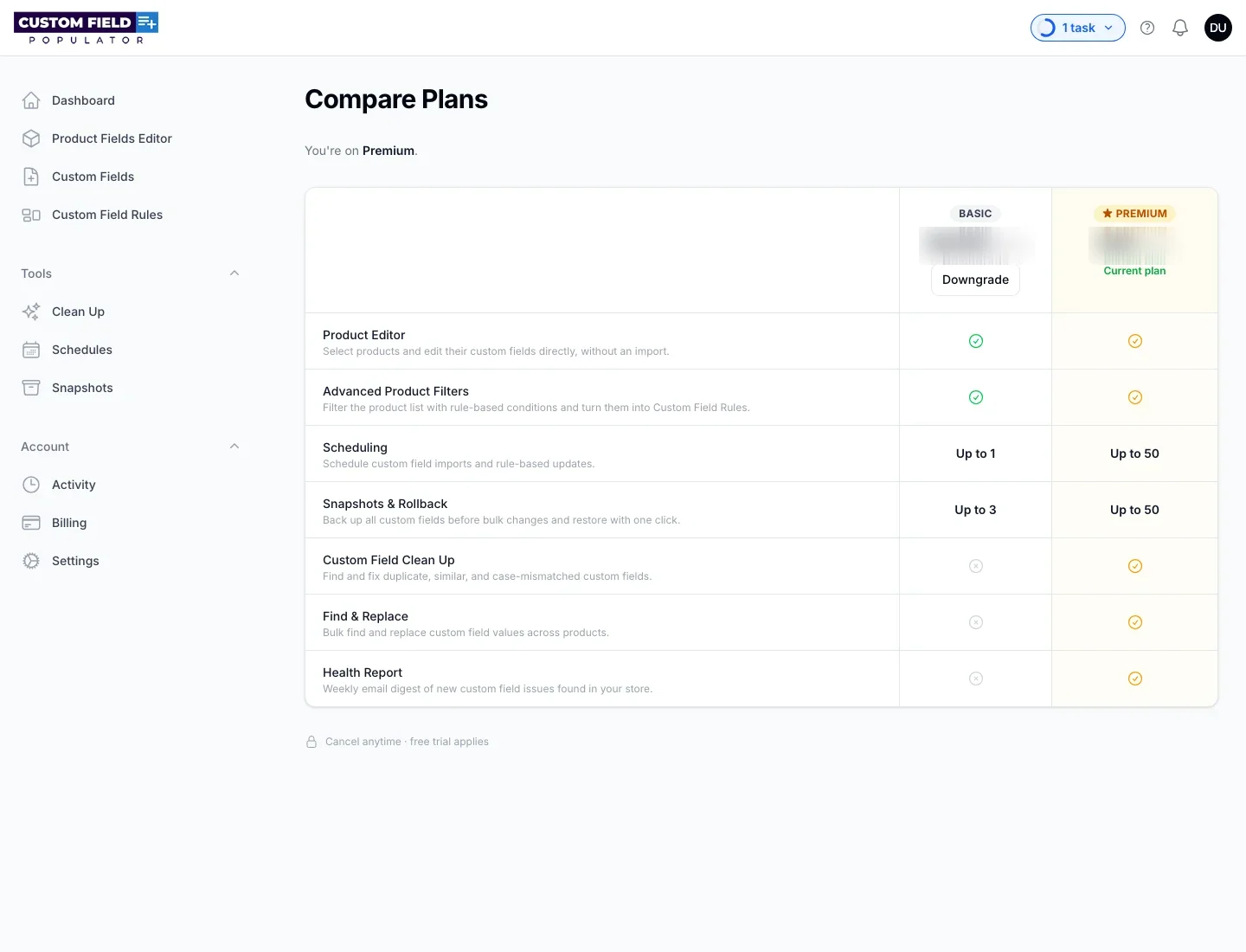
Open Billing → Change Plan, or follow an upgrade prompt anywhere in the app. Compare Plans shows Basic and Premium side by side, every feature with its limits, and marks your current plan. Current prices are shown here.
-
Upgrade. Click Upgrade. Your plan changes straight away and Premium features unlock. If you're in a trial, your remaining trial days carry over and your first charge is when the trial ends; otherwise the next charge date is shown before you confirm. Pay with the card on file or Use a different card.
-
Downgrade. On Premium, click Downgrade. The downgrade is scheduled for the end of your current billing period, and you keep Premium until then. Before you confirm with Schedule downgrade, the app lists what will change, with real numbers from your store, for example how many of your active schedules will stop running, how many snapshots stay available, and that you'll lose access to Custom Field Clean Up.
Nothing is deleted: if you upgrade again later, everything comes back. You can Cancel downgrade any time before it takes effect, from Compare Plans or the Billing page.
Cancel your subscription
- Cancel Subscription. On Account → Billing, click Cancel Subscription.
- Confirm. Click Yes, cancel my subscription.
- During a free trial, the trial ends straight away and you aren't charged.
- On a paid plan, billing stops straight away and you keep access until the end of the period you've paid for. A banner shows when access ends.
You can subscribe again at any time.
Note
Uninstalling Custom Field Populator from your BigCommerce store also cancels your subscription.
Reference
| Feature | Basic | Premium |
|---|---|---|
| Price | $10/month | $15/month |
| Product Fields Editor | ✓ | ✓ |
| Advanced Product Filters | ✓ | ✓ |
| Active schedules | 1 | 50 |
| Snapshots | 3, 7-day history | 50, 30-day history |
| Custom Field Clean Up | — | ✓ |
| Find & Replace | — | ✓ |
| Weekly Health Report | — | ✓ |