
Missing Data Finder for BigCommerce
What it does
Missing Data Finder scans your BigCommerce catalog and flags products that are missing information, have invalid values, or are still on a default setting. You pick which checks to run (for example empty SKUs, missing images, blank descriptions, invalid UPC or GTIN codes, or a sale price higher than the regular price), and the tool produces a downloadable report listing every problem it found, one row per problem. The report runs in the background, so you can leave the page while it works.
Use it to audit your catalog before a launch, a migration or a marketing push, or any time you want to find incomplete or misconfigured products. It's handy for spotting products that look bad on your storefront (no image, no description), products Google Shopping and other feeds may reject (missing or invalid UPC, GTIN or MPN), and pricing mistakes (a sale price above the regular price).
Before you start
- A BigCommerce store connected to Your Store Tools.
- Permission to read products on that store. The tool reads your catalog through the BigCommerce API.
- No upload file is needed. This tool creates the report for you.
Step-by-step
-
Open Missing Data Finder. Choose the Missing Data Finder tool for your BigCommerce store.
-
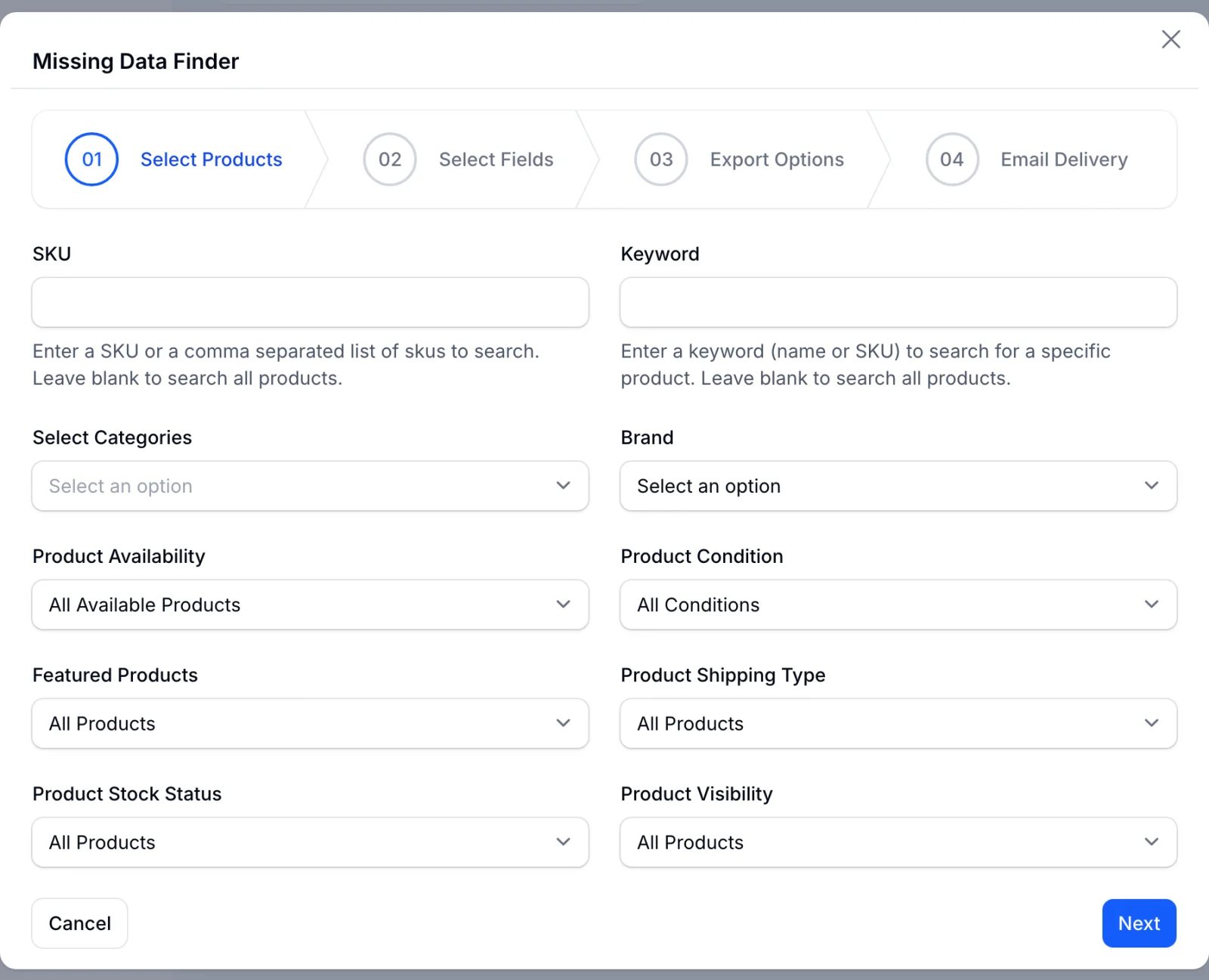
Select Products. Leave every filter blank to scan all products, or narrow the scan with any combination of:
- Sku: a single SKU, or a comma-separated list of SKUs.
- Keyword: search by product name or SKU.
- Select Categories and Brand.
- Product Availability (Available, Disabled or Preorder) and Product Condition (New, Refurbished or Used).
- Featured Products, Product Shipping Type (free or paid shipping), Product Stock Status (in stock or out of stock) and Product Visibility.
-
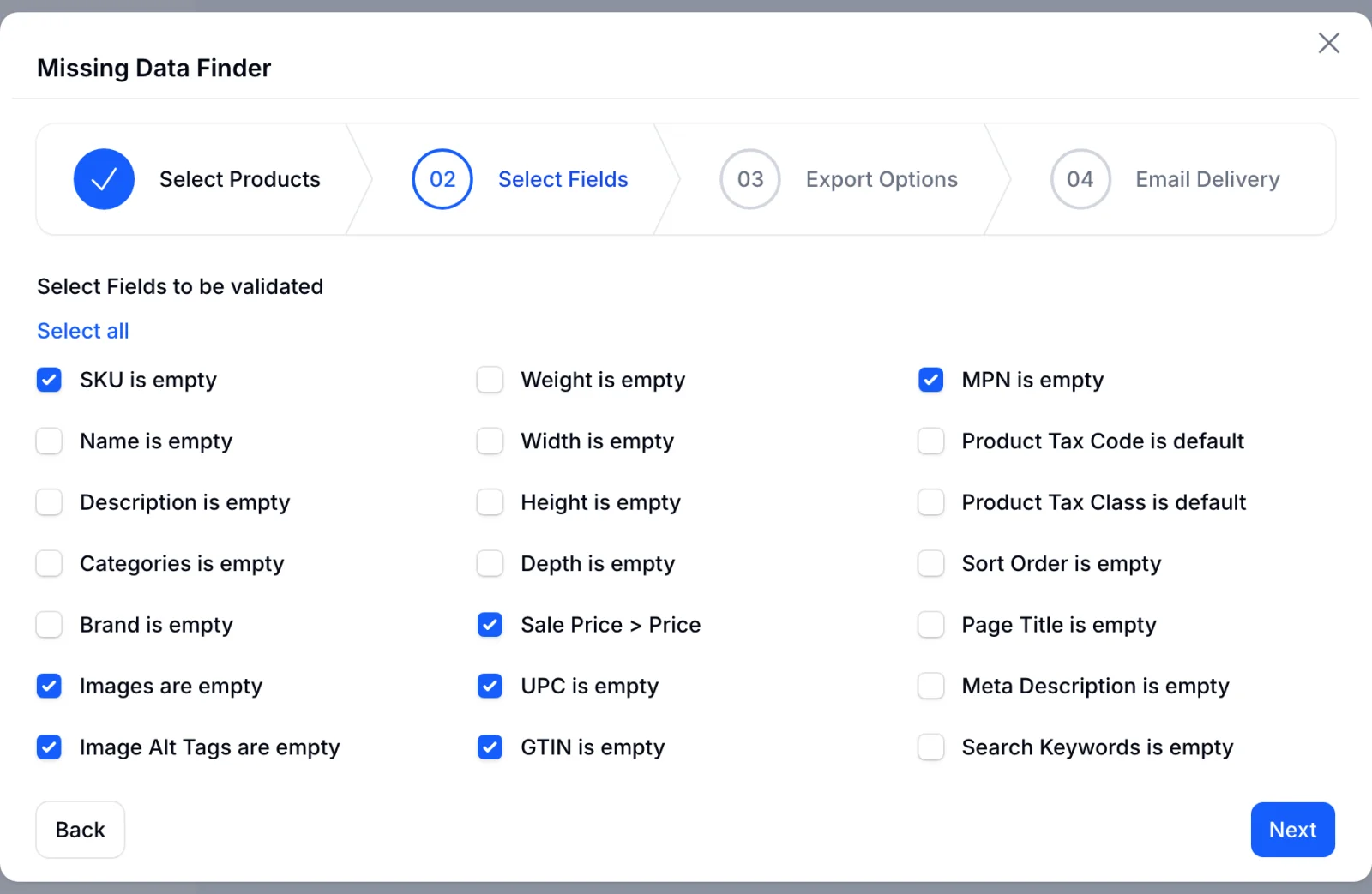
Select Fields. Under Select Fields to be validated, tick the checks you want to run. Each one is a rule every product is tested against (the full list is in the Reference). A starter set is ticked for you: SKU, Images, Image Alt Tags, UPC, GTIN, MPN and Sale Price > Price.
-
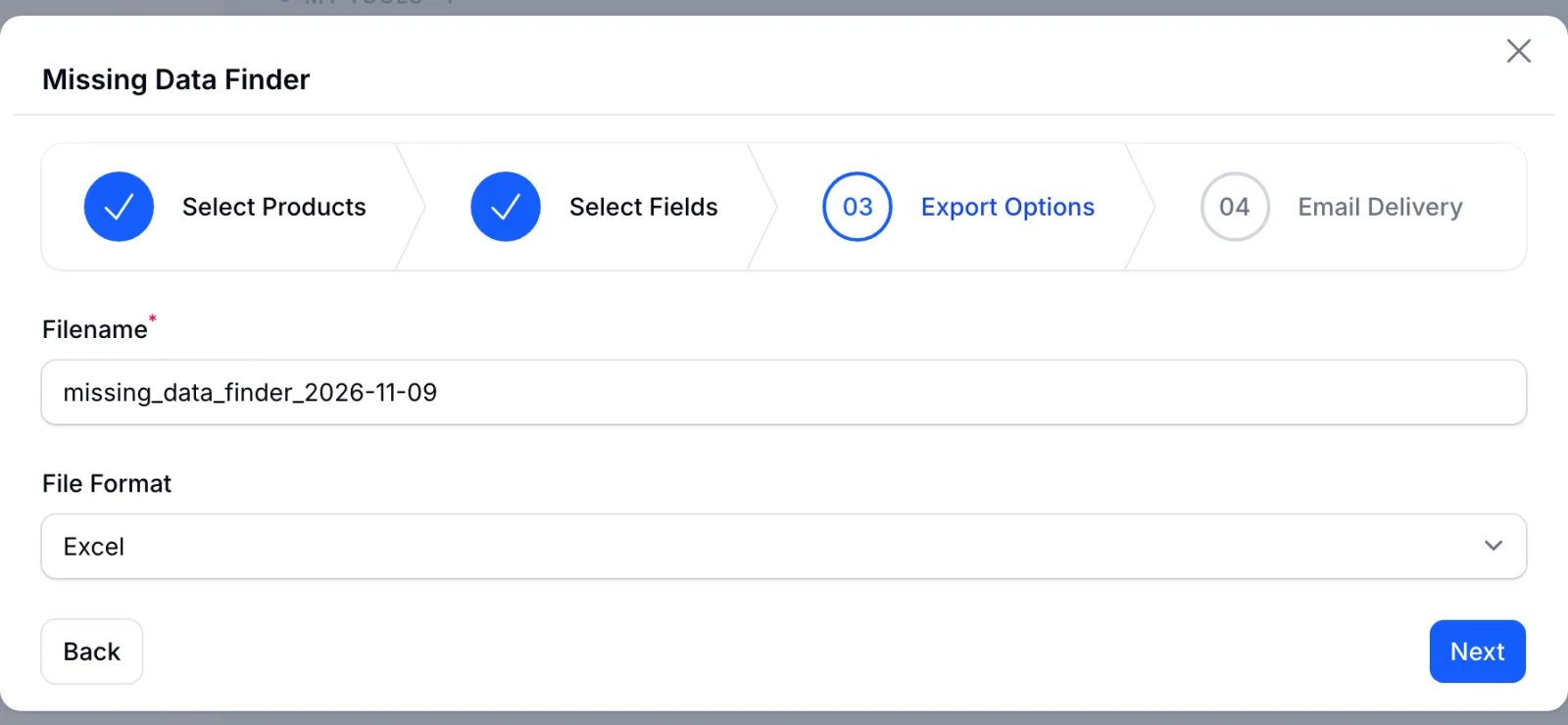
Export Options. Enter a Filename (a name with today's date is filled in for you) and choose the File Format: CSV or Excel.
-
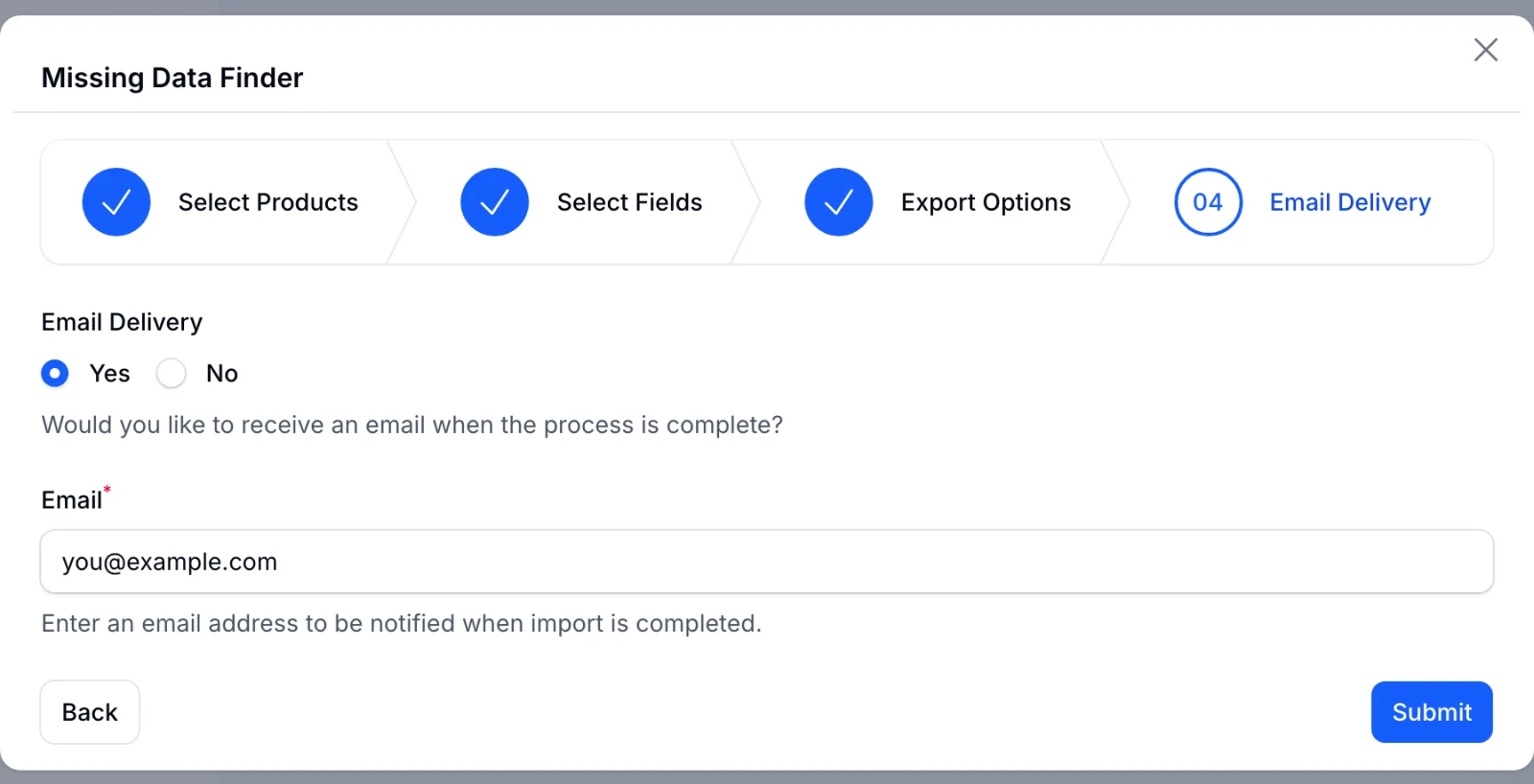
Email Delivery. The download link is emailed to you when the report is ready. Your account email is filled in; change it, or choose No if you don't want the email.
-
Submit. The scan runs in the background. When it's finished, download the report from the tool, or from the link in the email.
Reference
File formats: CSV or Excel (.xlsx).
Report columns. Each problem found is its own row:
| Column heading | What it holds |
|---|---|
sku |
The SKU of the affected product. |
field |
Which field has the problem, for example "Sku", "Images", "Brand" or "Alt" (image alt text). |
additional_info |
Extra detail where there is some: for a missing alt text, the address of the image. |
error |
What's wrong: missing, contains invalid characters or information, has default value, sale price is more than price or uses page name. |
A product appears on several rows if it fails more than one check.
The checks, and what each one looks for:
| Check | What it flags |
|---|---|
| SKU is empty | The product has no SKU. |
| Name is empty | The product has no name. |
| Description is empty | The product has no description. |
| Categories is empty | The product isn't in any category. |
| Brand is empty | The product has no brand. |
| Images are empty | The product has no images. |
| Image Alt Tags are empty | One or more product images have no alt text. Each affected image gets its own row. |
| Weight / Width / Height / Depth is empty | A missing dimension. Checked only on physical products. |
| Sale Price > Price | The sale price is higher than the regular price. |
| UPC is empty / GTIN is empty / MPN is empty | The code is blank. A UPC or GTIN that's filled in but isn't all digits is flagged as containing invalid characters. |
| Product Tax Code is default / Product Tax Class is default | The tax setting is still on its default. |
| Sort Order is empty | No sort order is set. |
| Page Title is empty | No page title is set, so the product uses its name instead. |
| Meta Description is empty | No meta description is set. |
| Search Keywords is empty | No search keywords are set. |
Troubleshooting and FAQ
I got "No Missing Data Finder were found." and no report
None of the products in your selection failed the checks you ticked. That's good news. If you expected results, widen your filters (leave them blank to scan everything) and make sure you've ticked the checks you care about.
My report has fewer products than expected
Check your filters on the Select Products step. An SKU, keyword, category or status filter limits what's scanned.
The dimension checks didn't flag anything
Weight, Width, Height and Depth are only checked on physical products. Digital products are skipped for those checks.
My large catalog is taking a while
The scan runs in the background and lets you know when the report is ready. You don't need to keep the page open.
I got a permission or API error
The tool reads your store through the BigCommerce API. If it keeps happening, contact us from Contact Us in your dashboard and we'll help you fix it.
Tip
To find just the products or variants with no image, use Product Missing Images Finder.