
Store Settings in Search Magic for Turbify
Quick info
Store Settings holds your store's details and the settings that decide how search matches: the default search operator, phrase search, language, instant search and stop words.
What it does
Store Settings has two boxes. Account Details is about your store; General Search Settings decides how Search Magic matches what shoppers type. Open it from Store Settings in the menu, change what you need and click Save.
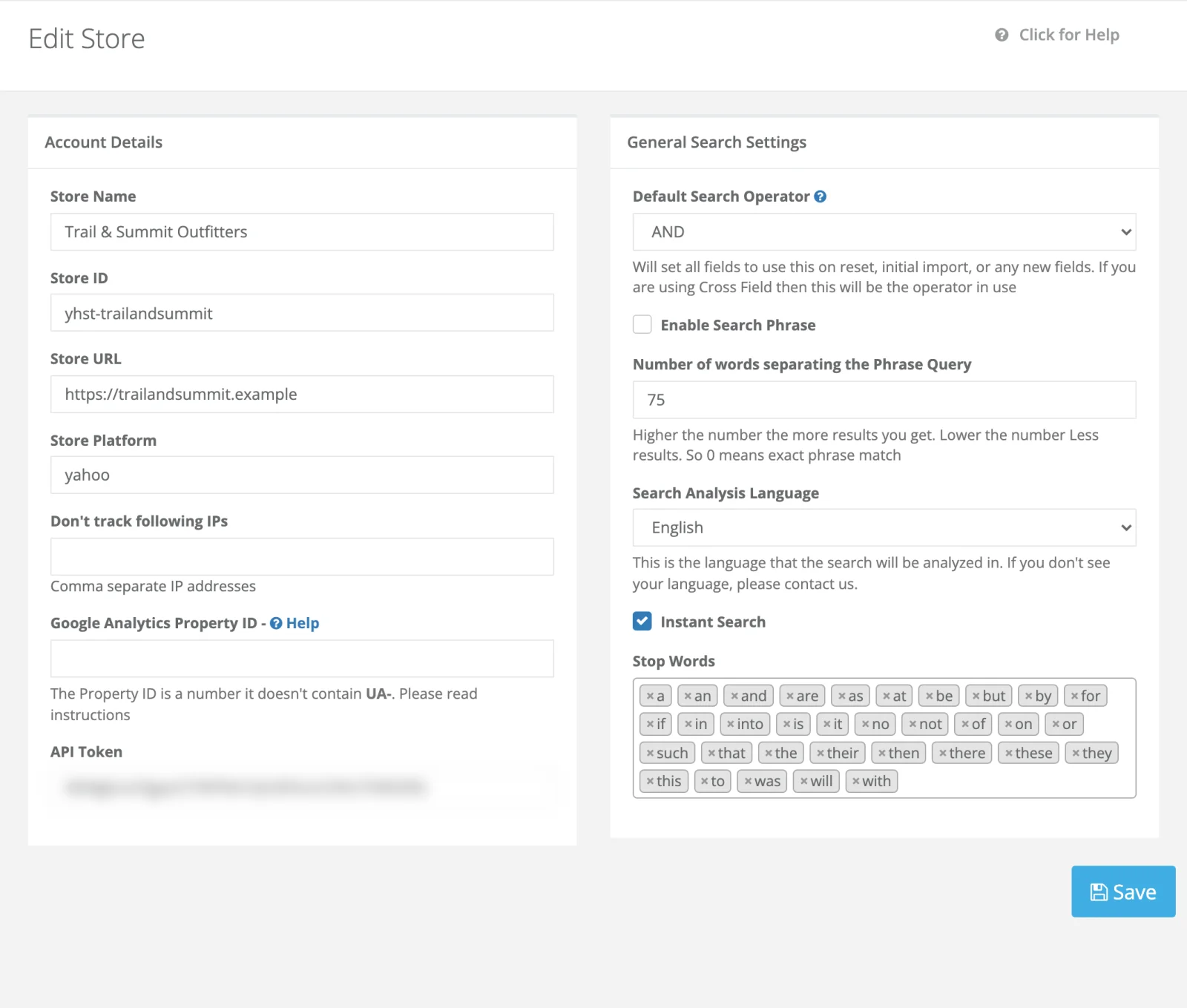
Settings
Account Details
| Setting | What it does |
|---|---|
| Store Name | Your store's name. |
| Store ID | Your Turbify store's ID. |
| Store URL | Your store's address. |
| Store Platform | Your store's platform. |
| Don't track following IPs | IP addresses, separated by commas, whose searches aren't counted in your reports. Add your own so your testing doesn't skew the numbers. |
| Google Analytics Property ID | Connects your Google Analytics property. See Connecting Google Analytics 4. |
| API Token | Your store's Search Magic token. Keep it private. |
General Search Settings
| Setting | What it does |
|---|---|
| Default Search Operator | How a search with several words is matched: AND finds items that match every word, OR finds items that match any of them. It's applied to every field when fields are reset or first imported, and to new fields. See How search results are found. |
| Enable Search Phrase | Turns on phrase matching. |
| Number of words separating the Phrase Query | How far apart the words of a search can be in an item and still count as a phrase match. A higher number gives more results, a lower number fewer; 0 means an exact phrase. |
| Search Analysis Language | The language your search is analyzed in: English, French, Spanish, German, Portuguese, Dutch, Arabic, Hindi or Russian. If yours isn't listed, contact us. |
| Instant Search | Shows a drop-down of popular terms and items while a shopper types in the search box. |
| Stop Words | Common words that are left out when your items are indexed and when shoppers search, such as "a", "and" and "the". You can add or remove words. |
Questions? Email us at help@yourstorewizards.com.