
Store Settings in Search Magic for BigCommerce
Quick info
Store Settings holds your store's details and the settings that decide how search matches: autocomplete, category page filtering, the search operator, SKU search, phrase matching, language and stop words.
What it does
Store Settings has two boxes. Account Details is about your store; General Search Settings decides how Search Magic matches what shoppers type. Open it from Store Settings in the app's menu, change what you need and click Save.
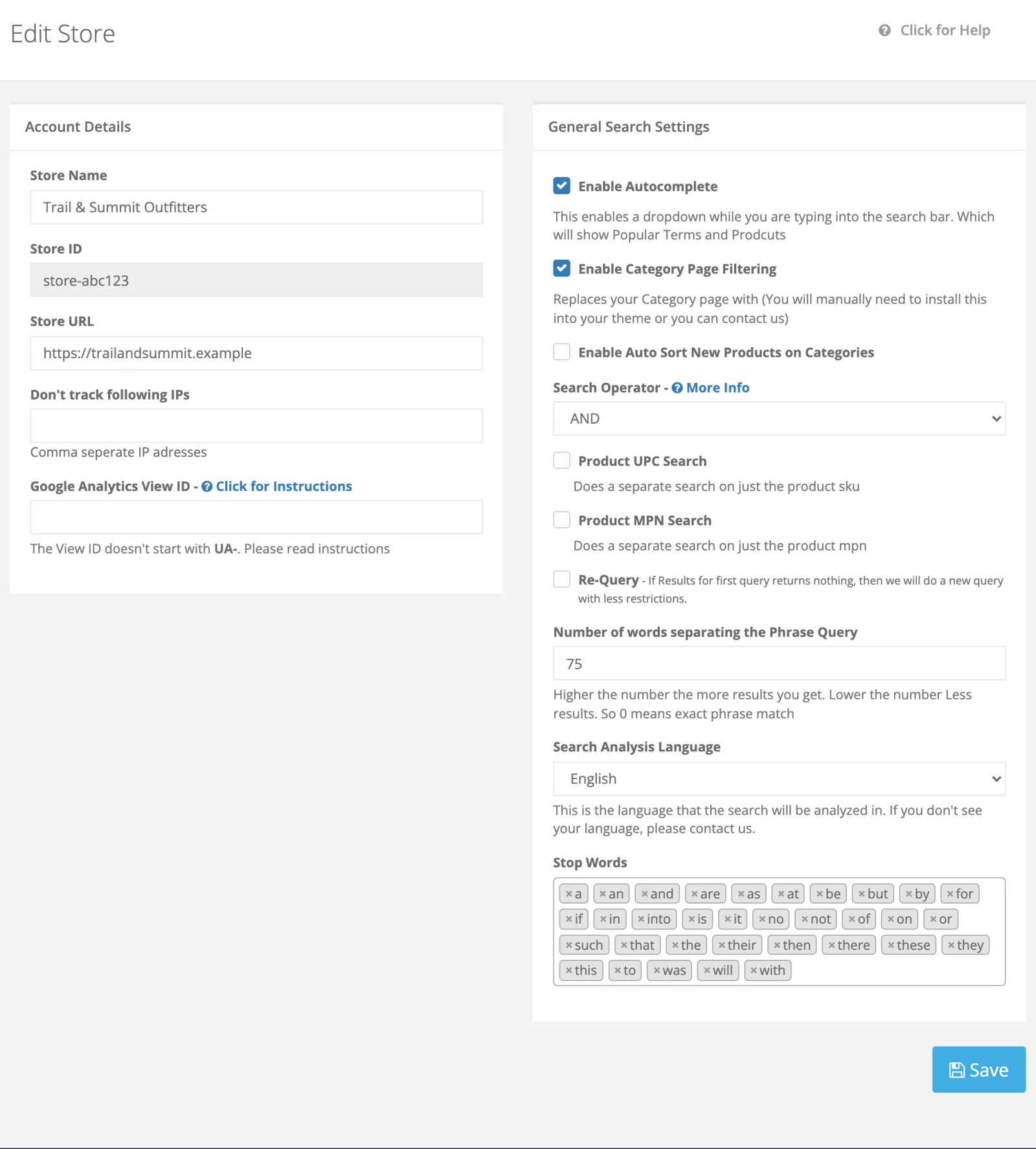
Settings
Account Details
| Setting | What it does |
|---|---|
| Store Name | Your store's name. |
| Store ID | Your store's ID. It can't be changed. |
| Store URL | Your store's address. |
| Don't track following IPs | IP addresses, separated by commas, whose searches aren't counted in your reports. Add your own so your testing doesn't skew the numbers. |
| Google Analytics View ID | Connects your Google Analytics property. See Connecting Google Analytics 4. |
General Search Settings
| Setting | What it does |
|---|---|
| Enable Autocomplete | Shows a drop-down of popular terms and products while a shopper types in the search box. |
| Enable Category Page Filtering | Adds Search Magic's filters and sorting to your category pages. This needs a small change to your theme; see Adding category filtering to your theme. |
| Enable Auto Sort New Products on Categories | Sorts new products into your category pages automatically. |
| Search Operator | How a search with several words is matched: AND finds products that match every word, OR finds products that match any of them. See How search results are found. |
| Product UPC Search | Runs a separate search on just the product SKU, so a search for an exact SKU finds that product. |
| Product MPN Search | Runs a separate search on just the product MPN. |
| Re-Query | If a search finds nothing, Search Magic searches again with fewer restrictions. |
| Number of words separating the Phrase Query | How far apart the words of a search can be in a product and still count as a phrase match. A higher number gives more results, a lower number fewer; 0 means an exact phrase. |
| Search Analysis Language | The language your search is analyzed in: English, French, Spanish, German, Portuguese, Dutch, Arabic, Hindi or Russian. If yours isn't listed, contact us. |
| Stop Words | Common words that are left out when your products are indexed and when shoppers search, such as "a", "and" and "the". You can add or remove words. |
Questions? Email us at help@yourstorewizards.com.