
Out-of-Stock Products in Magic Sorter for Shopify
What it does
Magic Sorter can move out-of-stock products to the bottom of a collection and, when they come back in stock, return them to where they were. Turn it on for one collection in the Sort Editor (every plan), or for every collection at once in Settings (Premium).
Before you start
- For one collection: the collection uses a Custom Product Sort in the Sort Editor.
- For the whole store: a Premium plan. See Plans and limits.
Step-by-step
One collection
-
Open the collection. In Sort Products, click the collection to open the Sort Editor.
-
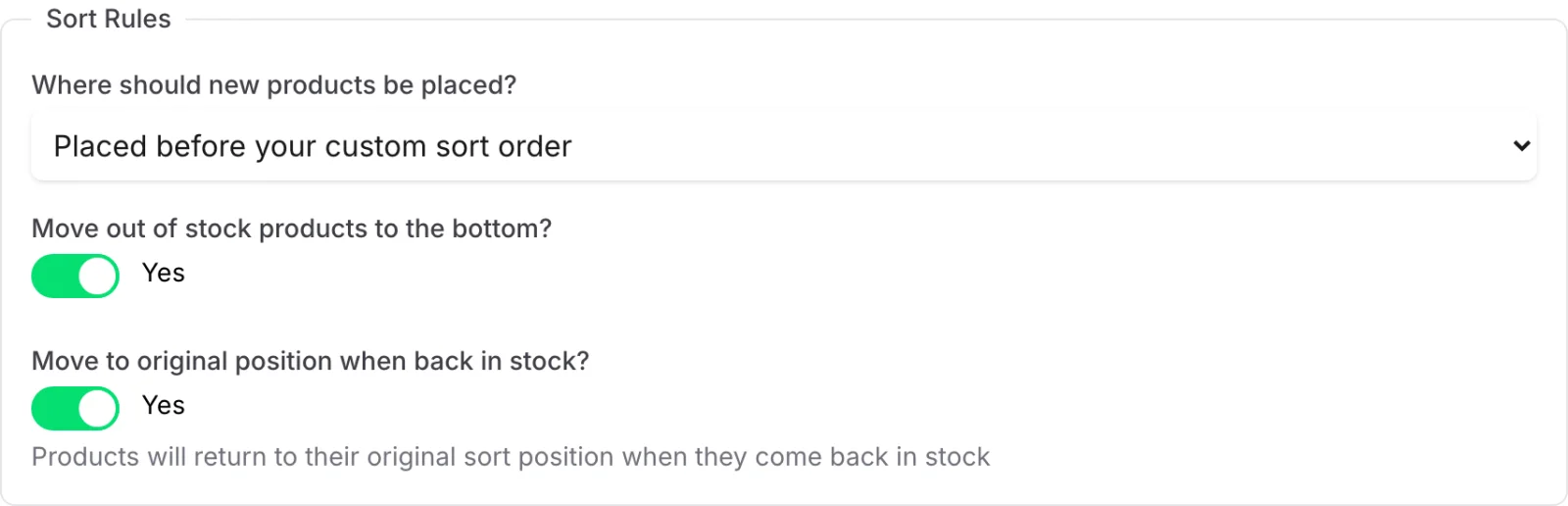
Move out of stock products to the bottom? Under Sort Rules, turn it on.
-
Move to original position when back in stock? Turn it on if restocked products should return to their original place.
-
Save & apply sort. Click Save & apply sort. The settings aren't saved until you do.
Note
Save & apply sort saves the whole order shown in the editor, not just these settings. The editor opens in your saved order, or the collection's current Shopify order if you haven't saved it before, so only the out-of-stock products move.
Every collection (Premium)
-
Settings. In the left menu, open Settings.
-
Auto-sort out-of-stock products. In this section, click Enable for whole store, then Enable to confirm.
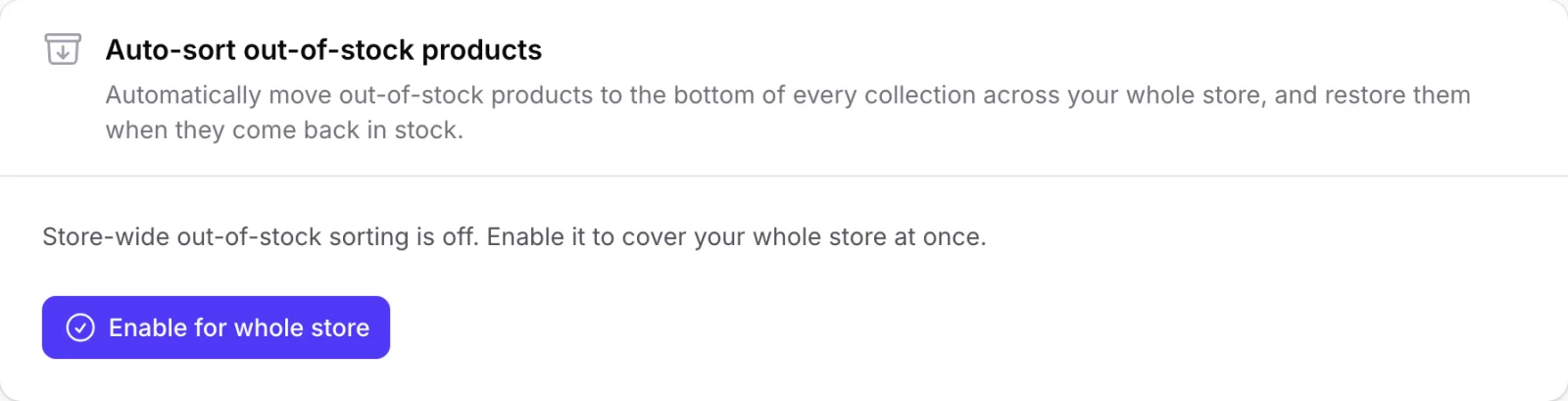
Every collection is then set up to keep out-of-stock products at the bottom, and to restore them when they're back in stock. Collections that use a built-in sort (such as best selling, alphabetical or price) are switched to an order Magic Sorter manages, so it can apply this.
To stop, click Turn off store-wide sorting. Collections set up this way go back to their original order, and collections Magic Sorter switched go back to their previous built-in sort. This runs in the background.
If you're not on Premium, this section shows Upgrade to Premium instead.
Troubleshooting and FAQ
When do out-of-stock products move?
When the collection's sort runs, not the moment they sell out. The same goes for restocked products returning to their place. A sort runs every day if automatic sorting is on for the collection, or when you click Run sort now.
Store-wide out-of-stock sorting shows an upgrade prompt
Store-wide sorting is a Premium feature. Move out of stock products to the bottom? on a single collection is available on every plan.