
Collection Pages in Search Magic for Shopify
What it does
With collection page filtering on, Search Magic can show its filters and sorting on your Shopify collection pages. You choose which collections use it, which filters each one shows and how its products are ordered.
New collections are added automatically when your store is indexed. Every new collection page starts turned off, so your theme's own listing shows until you enable it.
Before you start
- Collection page filtering on for your store. It shows as Enable Collection Page Filtering in Store Settings.
- The Search Magic Collection block on your collection template. See Turning on Search Magic in your theme.
Step-by-step
Settings for new collection pages
Open Collection Page Filtering Settings in Search Magic. The Default Settings on newly created collections box sets what new collection pages get:
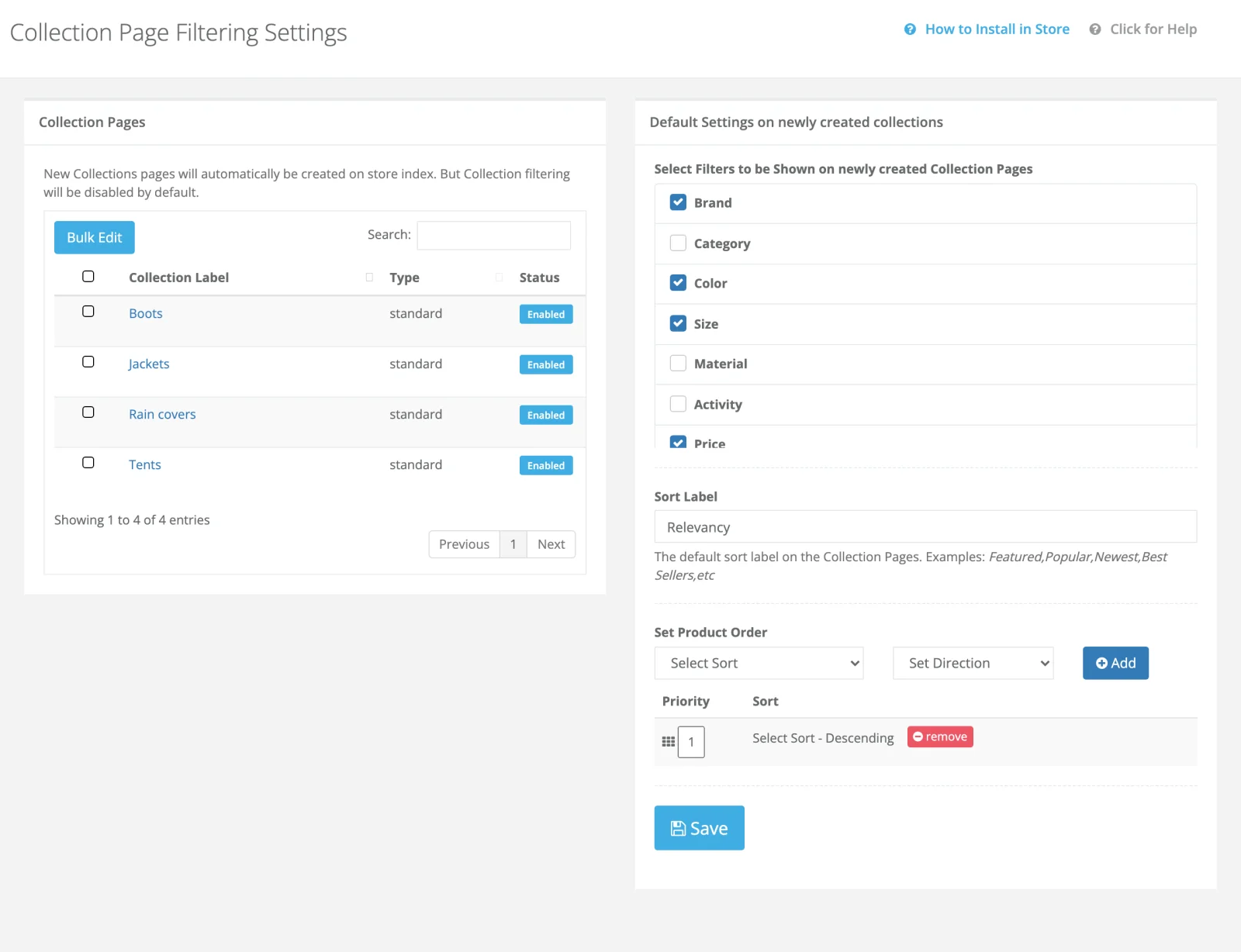
- Filters. Tick the filters new collection pages show.
- Sort Label. The name of the default order, "Relevancy" unless you change it, for example to "Newest Product".
- Set Product Order. Choose a field and a direction, and click Add. Fields higher in the list take priority; drag them by the handle or change the Priority number. remove deletes one.
- Save. Click Save.
One collection page
-
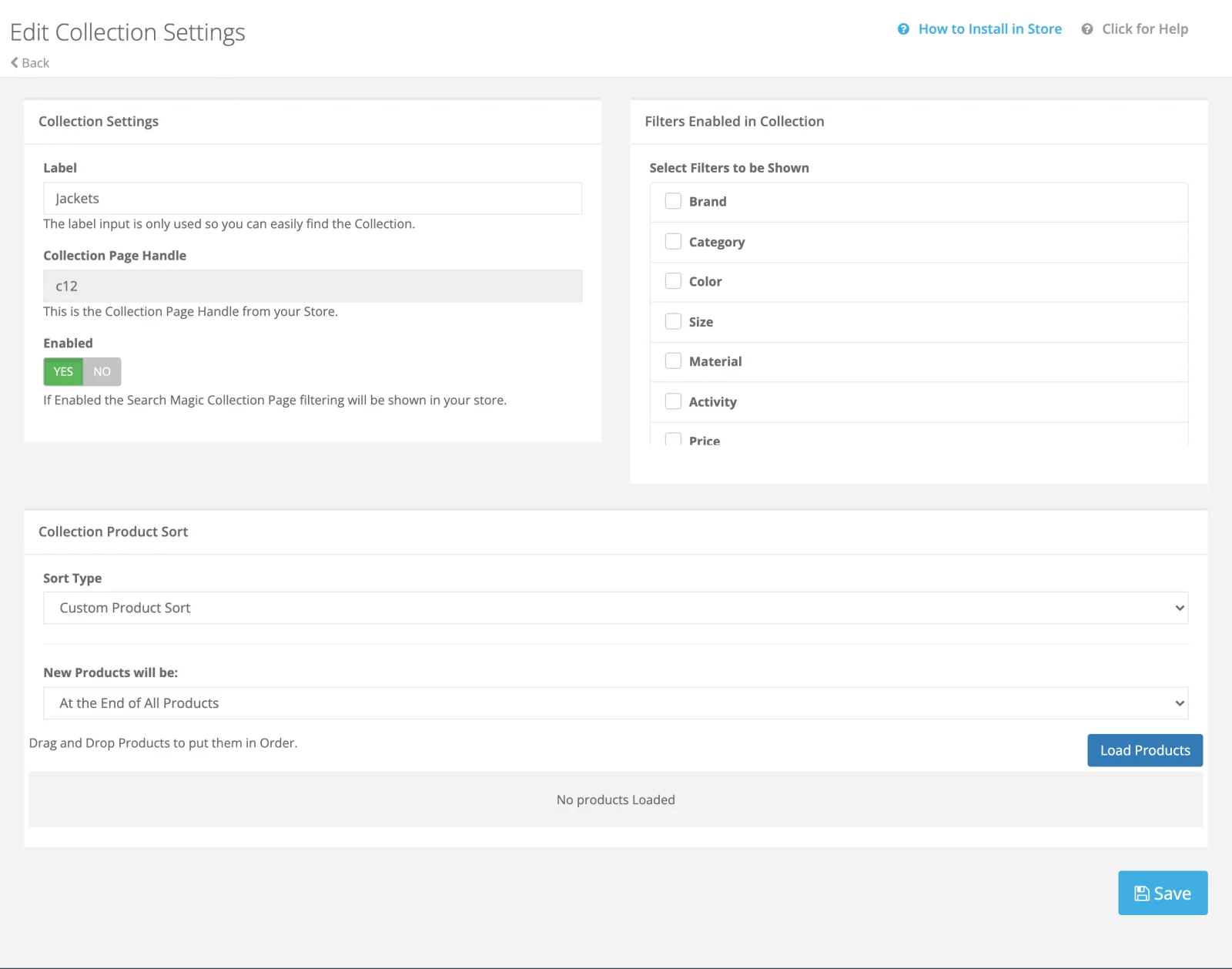
Open it. Click the collection's name in the list.
-
Enabled. YES shows Search Magic on this collection page; NO shows your theme's own listing.
-
Filters. Tick the filters this page shows.
-
Sort Type. Choose how its products are ordered:
- Sort By Property: by fields, as in Set Product Order above.
- Custom Product Sort: by hand. Choose where New Products will be put (Added Before All Products or At the End of All Products), click Load Products, then drag the products into order.
-
Save. Click Save.
Several collection pages at once
Tick the pages in the list and click Bulk Edit. You can enable the selected collections, or adjust their property sort, in one go.
Troubleshooting and FAQ
A new collection doesn't show Search Magic's filters
New collection pages start turned off. Open the page and set Enabled to YES.
An enabled collection page still shows my theme's products
The Search Magic Collection block is missing from your collection template. See Turning on Search Magic in your theme.
Questions? Email us at help@yourstorewizards.com.